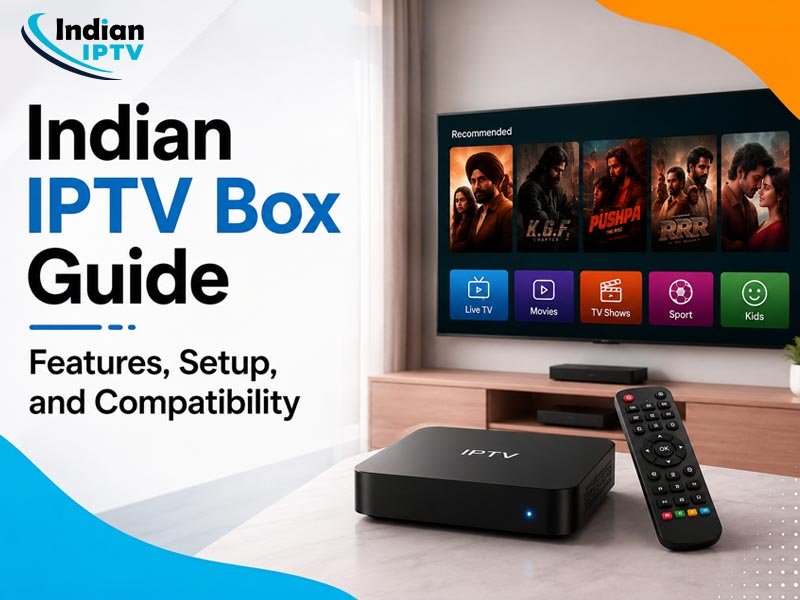
If you’re in Canada and looking into Indian IPTV, picking the right box actually makes a difference in how smooth your whole experience is. Indian IPTV comes with four box options, the MAG544W3, MAG540W3, MAG555, and UNIPRO 4.0, and each one works a bit differently depending on what kind of setup you have at home. This guide breaks down what each box offers, how setup works, what devices they’re compatible with, and how the free trial and subscription actually work so you’re not just guessing which one fits your house.
Getting into IPTV can feel like a lot when you first start looking into it, especially with all the box options and setup steps thrown at you all at once. If you’re someone in Canada trying to stay connected to Indian content without dealing with cable subscriptions and old school satellite setups, Indian IPTV is worth understanding properly before you commit to anything. This guide walks through the boxes, what they actually do, and how to get everything running without a headache.
Why Are People In Canada Switching To Indian IPTV?
A lot of Indian households living in Canada want access to their shows and content without paying insane cable bills or dealing with limited options that don’t even cover what they actually want to watch. That’s where Indian IPTV Canada comes in. Instead of relying on traditional providers, you get everything streamed straight through the internet, which means more flexibility and way less hassle overall. No annual contracts stuck to your name, no random equipment fees showing up on your bill either.
The other big appeal is variety. With a proper subscription, you’re not stuck with a random handful of channels that barely cover what your family actually wants to watch. You get access to a massive lineup along with a huge on demand library so there’s always something on regardless of what mood everyone’s in.
Understanding The Four Indian IPTV Boxes
This is probably the part people get stuck on the most since there’s four different boxes to pick from and not everyone knows what separates them. Let’s go through each one.
MAG544W3
Out of the two MAG boxes, this is the stronger one. This Indian IPTV box handles streaming better and doesn’t lag as much when you’re jumping between things, mostly because it’s got better processing built into it. If your house has more than one person using the box throughout the day, or you’re just someone who streams a lot, this one holds up way better over time compared to the older model.
MAG540W3
This is the older version next to the MAG544W3, but honestly it still does the job fine for most people. It’s easy to set up and works well enough if it’s just one or two people using it, nothing too heavy. You’re not getting the extra power the MAG544W3 has, but if all you want is something simple that works, this covers it without any issues.
MAG555
What makes the MAG555 different is that it runs on Google TV and that alone changes the whole feel of using it. The menus feel way more modern and less clunky compared to the standard MAG setup, kind of like using a regular smart TV. This Indian IPTV box also gives you more room to work with since Google TV lets you access more apps and settings than the older interface does.
UNIPRO 4.0
This one’s a bit of its own thing compared to the MAG boxes. You still get full access to everything under your Indian IPTV subscription, but the setup and performance can feel a little different depending on how your home network is set up. If you want something outside the usual MAG lineup but still want solid access to live and on demand content, this one’s worth a look.
Getting Your Box Set Up
Setting it up really isn’t the headache people think it’s gonna be going in. You connect the box to your TV through HDMI, hook it up to your internet either through WiFi or ethernet if you want something more stable, and activate your subscription with the details you’re given. Most people have it running within a few minutes as long as the internet connection isn’t too weak.
If you’re going the WiFi route, try to keep your router somewhat close to the box. A weak signal is usually what causes buffering, especially in the evening when more people in the house are online at once.
What Devices It Works On?
One thing people like about Indian IPTV is that it’s not stuck to just the box. Depending on your plan, you can usually pull up your subscription on smart TVs, phones, and tablets too, so nobody’s forced to sit in the living room just to catch their shows. That kind of flexibility matters a lot in houses where everyone’s on a different schedule.
Test It Out Before Committing
If you’re not sure which box or plan actually fits your house, the Indian IPTV free trial is there so you can try things out first instead of just guessing. It gives you a chance to check the streaming, get a feel for how the interface works, and see if the content actually covers what your household wants to watch. Way smarter than committing to a subscription and realizing later it’s not what you needed.
Picking A Subscription That Fits
Once you’ve tested things and landed on a box, moving into a full Indian IPTV subscription isn’t complicated. Plans are usually flexible enough that you’re not locked into anything long term unless that’s what you want. Just think about how many devices you’ll actually be using and how much variety your household needs before picking a plan.
Which Box Should You Actually Go With?
At the end of the day, picking between these IPTV boxes comes down to what your house actually needs. If you want stronger performance, go with the MAG544W3. Want something simple, the MAG540W3 does the job. Like a more modern feel, the MAG555 with Google TV is probably your best bet. Want something a little different from the MAG lineup, the UNIPRO 4.0 is worth checking out.
Whatever you end up going with, Indian IPTV gives households across Canada a solid way to stay connected to what they actually want to watch, without the headaches that come with old school cable.