Free Express Shipping
24x7 Customer Support
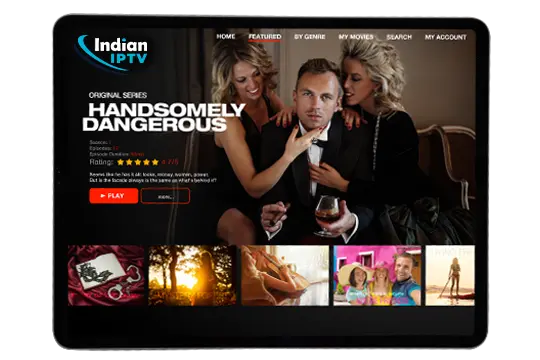
IPTV App – Stream Smarter on Any Screen

One IPTV App. Every Channel. Zero Hassle

So you are tired of paying way too much for cable and still not finding anything good to watch right? That’s exactly why people are switching to our IPTV app. It’s simple fast and works on pretty much every device you already own.

You get thousands of live channels movies and shows all in one place without dealing with a bunch of different subscriptions. Just download login and start watching. Thats really it. Our app is built for people who just want things to work without reading a ten page manual or calling customer support every week.

Device Compatibility

Works on Every Device You Already Own

No need to buy anything new. Our IPTV app runs smooth on whatever screen you’re using right now.

Android Phone & Tablet

Download straight from the app or sideload it in minutes and you’re good to go

iPhone & iPad

Fully supported on iOS so Apple users don’t miss out on anything

Smart TV

Works on most popular smart TV brands right from your main screen no extra box needed

Firestick & Fire TV

Super easy to set up and honestly one of the best ways to use our app on a big screen

Windows PC & Mac

Whether you’re on a laptop or desktop you can stream full quality without any slowdowns

App Features

Features That Actually Make a Difference

Look most IPTV apps out there look fine on paper but feel clunky when you actually use them. Ours is different. Every feature we built was added because real users asked for it or needed it. Nothing is just there to look good on a list. These are tools that actually change how you watch TV every single day and once you use them going back feels impossible honestly.

7-Day Live Rewind

Missed something that aired three days ago? No problem. Go back up to 7 days on supported live channels and watch it like it never left. No recording needed no scheduling just rewind and play.

Built-In EPG

EPG stands for Electronic Program Guide and ours updates in real time so you always know what’s on now and what’s coming up next. Think of it like a TV guide that’s actually accurate and always current

Favorites & Profiles

Add your go-to channels to favorites so you never have to scroll forever looking for them. Plus each person in the house can set up their own profile which keeps things organized and personal.

Smart Search

Just type a name or a keyword and the app pulls up what you are looking for in seconds. No more browsing through hundreds of TV channels trying to find the one you want. Super fast and genuinely useful.

Adaptive Streaming

The app automatically adjusts video quality based on your internet speed. So even if your connection dips for a second you won’t get a frozen screen you’ll just get smooth playback at the right quality.

Multi-Device Login

Your one account works across multiple screens at the same time. Family watching in the living room while you watch in the bedroom? Covered. No need to log in and out or share passwords in a weird way.

Setting Up Your IPTV App Takes Like 5 Minutes

Seriously it’s not complicated at all. First pick the device you want to use whether that’s your phone TV stick smart TV or computer. Then grab your login details from us after you subscribe. Open the app enter your credentials and you’re in. The channel list loads up automatically and you can start exploring right away.

If you’re using a Firestick or Android box you might need to allow installs from unknown sources first but there are easy steps for that and we walk you through it. Most people are watching their first channel within 5 minutes of starting the setup. No technician required no confusing cables just a few taps and you’re live.

FAQ's

Questions People Ask Us All the Time

We get a lot of the same questions from new users and honestly they’re all fair questions. Nobody wants to subscribe to something without knowing exactly what they’re getting.

So here is a quick honest breakdown of what people usually want to know before they sign up or after they just downloaded the IPTV app. If your question is not here just reach out and we will sort it out fast.

Nope. You can use it on a phone tablet PC or a streaming stick plugged into any regular TV

It depends on your plan but most plans support streaming on more than one screen at the same time

Yes we offer a trial so you can test everything before committing to a full subscription

A stable connection of around 10 Mbps works fine for HD and 25 Mbps or more is great for 4K

Absolutely. As long as you have internet whether WiFi or mobile data the app works anywhere

Yes alongside live channels you also get a big library of movies and series available anytime

Most Android devices running version 5.0 or above work just fine with our app

Updates are usually pushed automatically but you can also check manually inside the app settings

Try switching to a wired connection or check your speed and the adaptive streaming feature handles most issues automatically

You can cancel anytime straight from your account dashboard with no hidden fees or long processes

Refer Your Friends!

Join 50,000+ people who started their trial this month

CAPTCHA Image